Brand & Press Kit
The VRCTools logo, colors and usage guidelines - download the press kit for all formats.
The press kit contains the logo as SVG and as PNG (128, 256 and 512 px), the social preview image and a short usage guide.
The logo




- Icon: a portal - a circle split down the middle into a white and a purple half, its rings inverting across the split.
- Word mark:
vrctools_, always lowercase, in JetBrains Mono ExtraBold. In running text, write VRCTools. - Variants: regular files for dark backgrounds,
-lightfiles for light backgrounds, and theapp-icon(on a dark tile) for photos, busy backgrounds and anything smaller than 24 px.
Colors
| Name | Hex | Use |
|---|---|---|
| Brand purple | #8B5CF6 |
Purple half of the icon, tools_ |
| White | #FFFFFF |
Light half on dark backgrounds |
| Ink | #0E0B14 |
Light half on light backgrounds, app icon tile |
| Background | #0C0A10 |
Recommended dark background |
Usage
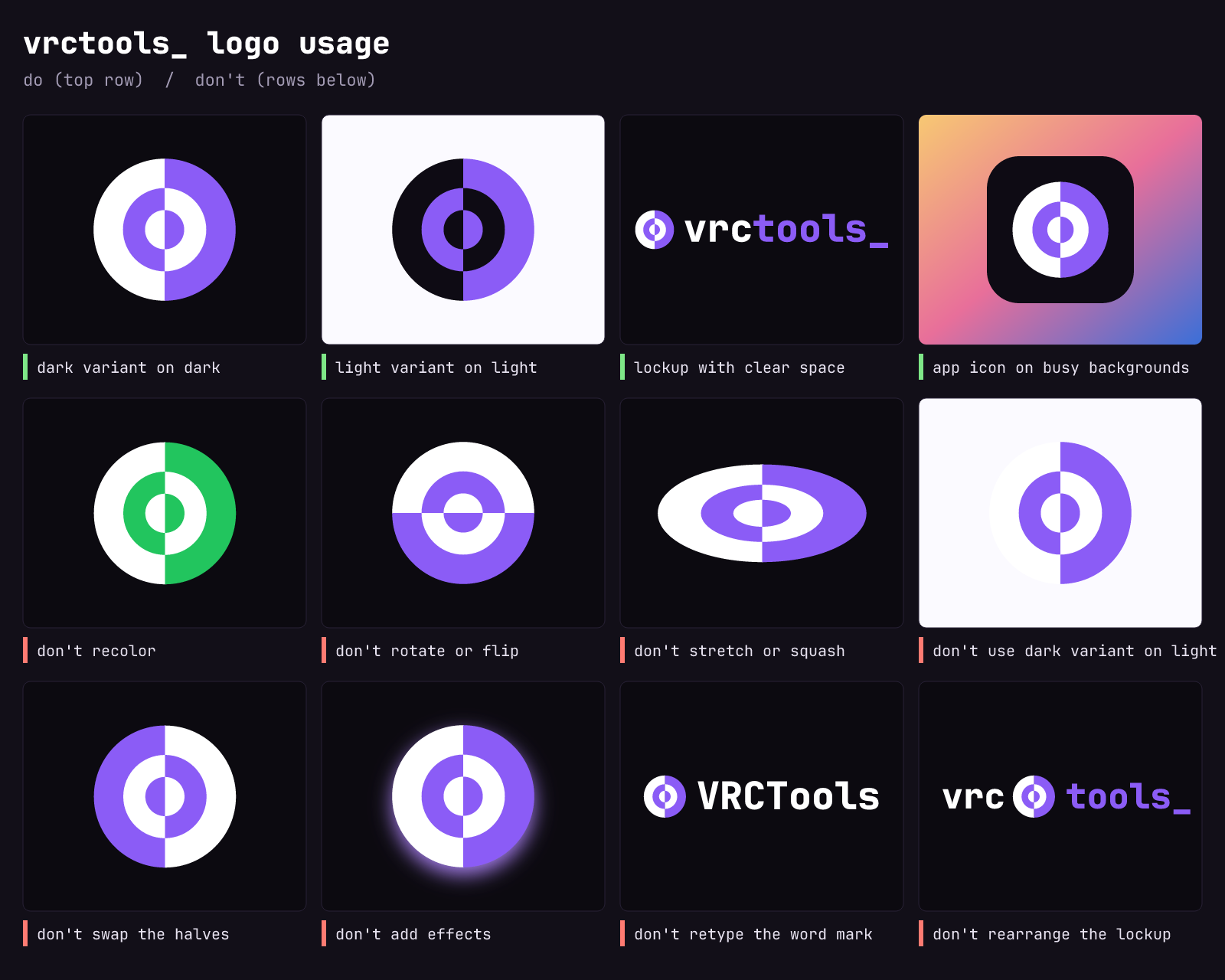
Do use the files as provided, pick the variant matching the background, keep clear space of at least a quarter of the icon’s height around the logo and scale proportionally.
Don’t recolor, rotate, stretch, add effects, swap the halves, retype the word mark or rearrange the lockup - and don’t use the logo in a way that suggests VRCTools endorses your project, or that VRCTools is affiliated with VRChat Inc. or Unity Technologies.
The full guide is included in the press kit as README.md.